

Getting the App
Step 2: Download the App
To actually use Freedeck, you need the App. You can download the latest version by clicking here.
Step 3: Run the App
Run the app! Double click it from your downloads folder or wherever it is.
Installing Freedeck
Now we’ll finally install the Freedeck application in its entirety. From here, names become less ambiguous.1
Step 3: Install Freedeck
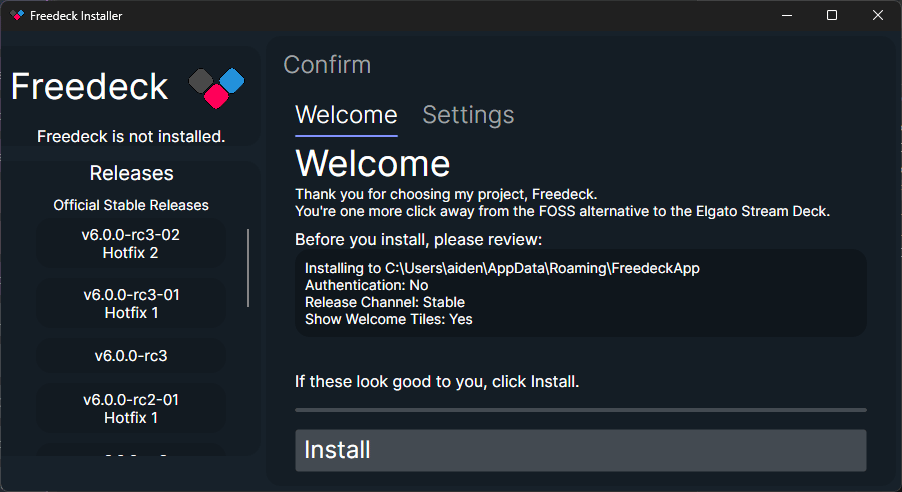
2
Step 4: Launch Freedeck
Now that you have Freedeck installed, press Launch Freedeck!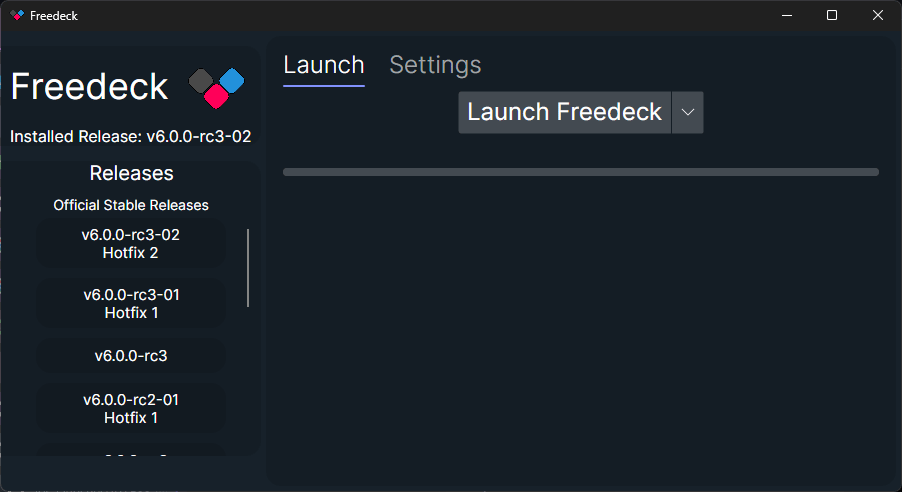
Next steps
You’re now ready to use Freedeck and explore the interface to discover what it has to offer!Plugins
Learn about how you can add OBS, WaveLink, MyInstants, or just about anything to Freedeck!
Themes
Personalize your Freedeck by picking any theme you like!
Marketplace
Download community-created plugins and themes!
API documentation
Check out the Freedeck HTTP API!
Need help? Make a GitHub issue or join our Discord.